Mar 11, 2026
Employee Handbook Acknowledgement Form (Free Template + How to Use It)
A simple handbook acknowledgment form protects your business by proving employees received your policies. Copy/paste this free template and follow the step-by-step setup.
Introduction
If you only do one “paperwork” step after creating an employee handbook, make it this: get every employee to sign an acknowledgement form.
Why? Because the acknowledgement form is what turns your handbook from “we had policies somewhere” into “we can prove employees received and understood them.”
It’s also quick to implement—especially if you keep the form short, store it consistently, and make it part of onboarding.
In this post you’ll get:
A free copy/paste template (no legalese, easy to edit)
What an acknowledgement form should include (and what it shouldn’t)
The best way to collect signatures (digital or paper)
A simple storage system so you can find it instantly later
What Is an Employee Handbook Acknowledgement Form?
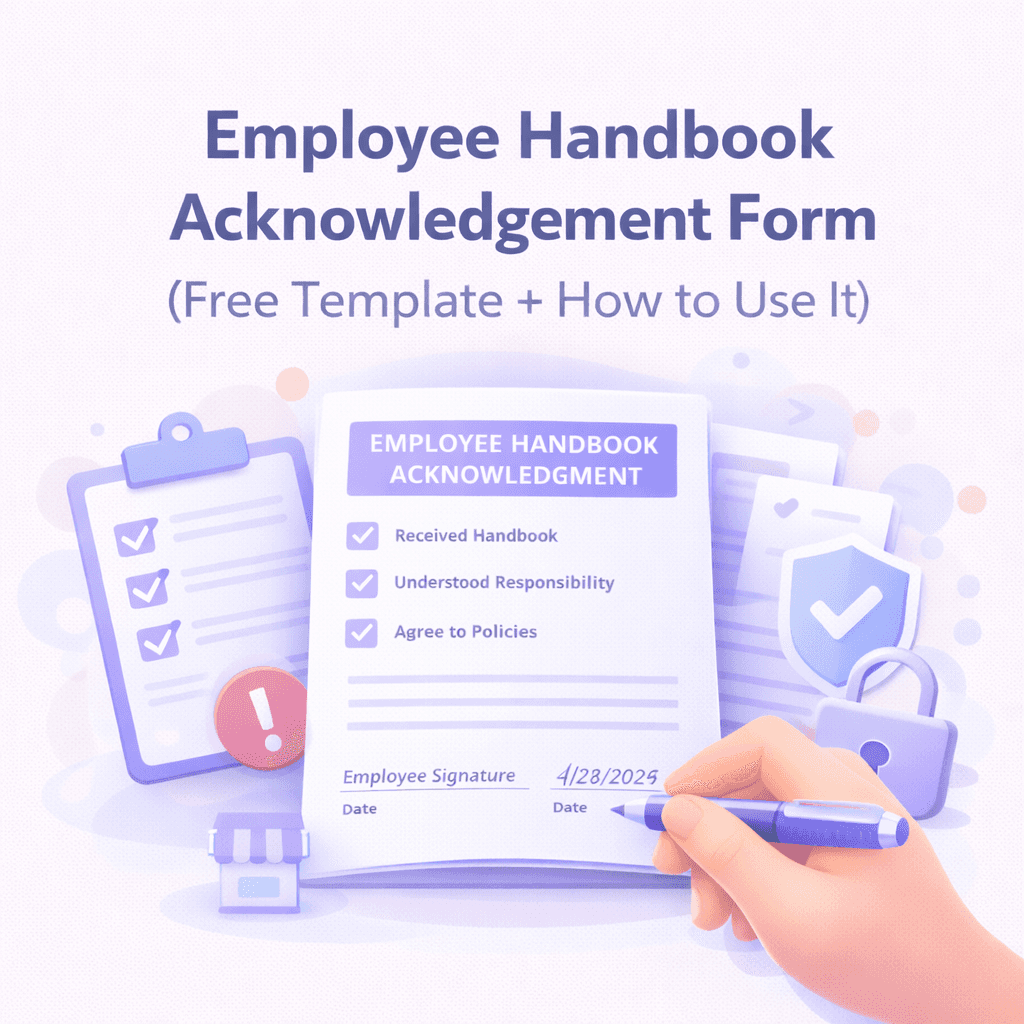
An employee handbook acknowledgement form is a document employees sign confirming they:
received access to the handbook,
understand they’re responsible for reading it, and
agree to follow the policies (and that policies may change).
It’s typically a single page and is stored in the employee’s personnel file.
This form does not make every handbook policy automatically enforceable—but it can be a powerful piece of evidence if there’s ever a dispute about expectations, conduct, attendance, time off, harassment, confidentiality, etc.
Why This Form Matters (Even If You’re a Tiny Business)
Small businesses often skip this because it feels “corporate.” But it actually protects small businesses more, because you don’t have a big HR department to lean on if something goes sideways.
A signed acknowledgement helps you show:
The employee received the policies
The employee had a fair chance to read them
You communicated expectations consistently (reduces “unfair treatment” arguments)
You reserved the right to update policies (critical)
What to Include in a Good Acknowledgement Form
Keep it simple, but make sure you cover these:
1) Handbook receipt + access
Employees confirm they received the handbook (or a link to it).
2) Responsibility to read and follow
They acknowledge they must read and comply.
3) At-will disclaimer (if applicable)
If you are an at-will employer, include a plain statement that the handbook does not create a contract and does not change at-will status (where legally allowed).
4) Policy change notice
You reserve the right to update policies, and employees agree to follow the most current version.
5) Signature + date
Include printed name, signature, and date.
Optional but helpful:
Version/date of handbook they acknowledged (so you know which handbook they received)
Manager/HR witness signature (not required, but can help)
Free Employee Handbook Acknowledgement Form Template
Copy/paste this exactly, then customize brackets.
Employee Handbook Acknowledgement
I acknowledge that I have received access to the [Company Name] Employee Handbook dated [Handbook Date / Version]. I understand that it is my responsibility to read and become familiar with the policies and guidelines in the handbook.
I understand that the handbook is intended as a guide and does not create a contract of employment. [If applicable: Employment with [Company Name] is at-will, which means either I or the Company may end the employment relationship at any time, with or without cause or notice, as permitted by law.]
I understand that [Company Name] may revise, update, or change policies at any time, and I agree to follow the most current policies communicated by the Company.
If I have questions about any policy, I will ask [Manager/HR Contact Name or Email].
Employee Name (print): ___________________________
Employee Signature: ______________________________
Date: ___________________Company Representative (optional): __________________
Date: ___________________
Pro tip: Put the handbook version/date near the top. If you update the handbook later, you can re-collect acknowledgements or keep a record of which version each employee received.
Best Ways to Collect Signatures (Fast + Organized)
You have three good options. Choose the one you’ll actually do consistently:
Option A: e-sign (recommended)
Use a simple e-sign tool (or even a PDF e-sign workflow)
Store the signed PDF in a consistent folder structure
Best for remote teams and scaling.
Option B: onboarding doc packet (paper)
Print, sign, scan as PDF, store in employee folder
Works fine, but scanning discipline is the make-or-break.
Option C: inside your HR platform
If you use an HRIS (Gusto, Rippling, BambooHR, etc.), collect the acknowledgement there.
This is great if you already use one.
How to Store It So You Can Find It in 30 Seconds
Create a simple structure like:
Drive → HR → Employees → [LastName, FirstName] → Handbook Acknowledgement (YYYY-MM-DD).pdf
Or:
HRIS → Documents → Handbook Acknowledgement
Consistency matters more than perfection.
Common Mistakes to Avoid
Mistake 1: Making it too long
The acknowledgement form is not the handbook. Keep it to one page.
Mistake 2: Forgetting the “policies may change” line
This is one of the biggest reasons acknowledgements exist.
Mistake 3: Not tying it to a specific handbook version
If the handbook changes later, you want to know what they received.
Mistake 4: Using overly aggressive legal language
Don’t try to make it sound like a lawsuit. Plain English is better.
Do You Need a New Acknowledgement Every Time You Update the Handbook?
Not always, but here’s a simple rule:
Get a new acknowledgement when you make major policy changes that affect employee rights, pay/timekeeping rules, discipline, harassment policies, remote work requirements, or anything you’d want to prove was communicated.
If you’re making small formatting edits, you can simply document the update internally.
FAQ
Is an acknowledgement form legally required?
Usually no—but it’s widely considered a best practice because it helps prove communication and consistency.
Does it protect me in a lawsuit?
It can help, especially for “I didn’t know” arguments. But it doesn’t replace compliant policies or proper documentation.
Can I do this digitally?
Yes—digital acknowledgements are common and often better than paper because they’re easier to store and retrieve.
Want This Done Automatically?
If you’d rather not build all this manually, the point of DraftHandbook is to help you generate a handbook that’s:
plain-English,
tailored to your business,
and easy to keep updated over time.
When you’re ready, click Generate my handbook and you’ll be guided through a quick questionnaire.